
Download NextDNS – DNS firewall, DNS filtering, content filtering, privacy protection, secure DNS, cloud-based DNS, Android app
Overview
NextDNS is a third-party DNS service designed to enhance online security and privacy by functioning as a cloud-based DNS firewall. It provides users with greater control over their DNS settings, surpassing the limitations of default ISP-provided DNS systems. The app is tailored for individuals seeking robust protection against online threats such as phishing, ransomware, and malicious domains. By redirecting DNS queries through its secure infrastructure, NextDNS helps safeguard personal data from potential breaches during internet browsing.
Target users include privacy-conscious individuals, parents seeking parental controls, and users who want more transparency and control over their digital activity. The platform enables filtering, monitoring, and tracking of internet activity across both mobile and desktop systems, with seamless integration through a dedicated Android application. While the core functionality is accessible for free, certain advanced features are restricted and require a paid subscription.
The developer did not provide additional details about the company’s background or technical architecture. Real-world usage scenarios include securing home networks, protecting children from inappropriate content, and improving browsing safety on public Wi-Fi. The service operates entirely in the cloud, meaning no local DNS changes are required on the device—though configuration may involve adjusting network settings on Android.
Key Features & Capabilities
- Cloud-Based DNS Firewall: Acts as a real-time filter for DNS requests, blocking malicious domains before connection attempts are made.
- Content Filtering: Offers predefined blocklists targeting phishing, malware, ransomware, and typosquatting domains.
- Parental Controls: Allows users to block individual websites or entire content categories based on customizable rules.
- Activity Monitoring & Tracking: Provides visibility into network activity, including domains accessed and timestamps.
- Multi-Device Support: Enables consistent protection across smartphones, tablets, and other connected devices.
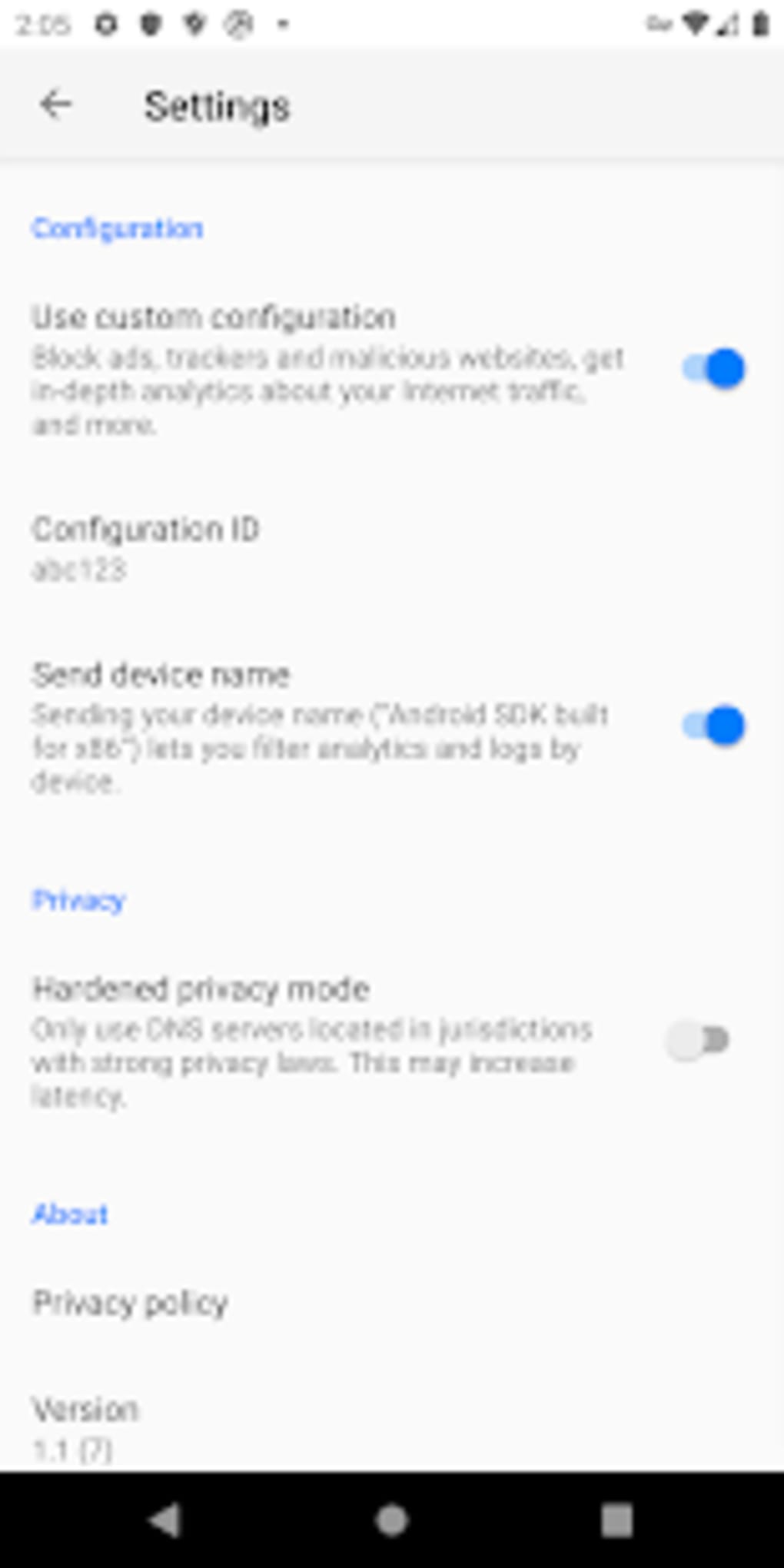
- Custom Configuration: Users can define their own DNS rules and settings via a web dashboard.
These features are particularly useful for users who want to maintain a safer browsing environment without technical complexity. For example, parents can use the parental control feature to restrict access to adult content, while remote workers can use the filtering capabilities to prevent accidental exposure to malicious sites. The dashboard allows for flexible rule creation and management, with changes applied across devices once configured.
User Interface, Workflow & Performance
The NextDNS Android app features a clean, minimal interface designed for ease of use. Navigation is straightforward, with primary functions such as dashboard access, filtering settings, and connection status displayed clearly. The workflow begins with selecting a configuration profile, which can be applied directly through the app or configured via the web portal.
Users can manage their DNS settings without needing to modify low-level system configurations. The app integrates with Android’s network settings, allowing for quick setup. However, exact performance details were not specified. The developer did not provide information on CPU or RAM usage, nor did they share benchmarks for latency or connection speed.
Stability appears to be consistent with typical cloud-based services, but real-world behavior may vary based on network conditions. The app does not appear to consume excessive resources, though this is based on general software behavior patterns rather than verified data.
Compatibility & System Requirements
NextDNS is compatible with Android operating systems. The current version is 2.14.1, with an installation size of 18.2 MB. The developer did not specify minimum hardware requirements or supported Android versions beyond the platform name.
Compatibility information was partially provided. Users should ensure their device runs a recent version of Android to support the latest features. The app functions as a network-level service, meaning it can operate regardless of individual app permissions, though certain system-level access may be required for full functionality.
Pros and Cons
Pros
- Free tier available with essential filtering and privacy features
- Cloud-based architecture eliminates the need for local DNS changes
- Intuitive interface suitable for non-technical users
- Comprehensive content filtering with multiple prebuilt blocklists
- Supports parental controls and customizable rule sets
- Cross-device protection via a unified dashboard
Cons
- Free version includes usage restrictions
- Advanced features require a paid subscription
- Exact system requirements not publicly listed
- Performance metrics not disclosed by the developer
- Requires internet connection for full functionality
FAQ Section
Is NextDNS compatible with all Android devices?
NextDNS is designed for Android, but specific compatibility details were not provided. Users should ensure their device runs a supported version of the operating system.
Is the app safe to use?
NextDNS operates as a secure, cloud-based DNS service. It does not collect or store personal data beyond what is necessary for service operation. However, users should review the privacy policy for full transparency.
Can I use NextDNS without an account?
Yes, basic functionality is available without creating an account. However, settings are stored for only a limited time (approximately one week), and long-term use requires an account.
Are updates automatic?
The app may receive automatic updates through the Google Play Store. Manual updates are also possible via the app store.
Does NextDNS work offline?
NextDNS requires an active internet connection to function, as it relies on cloud-based DNS resolution. It cannot operate fully in offline mode.
Final Thoughts
NextDNS delivers a powerful, user-friendly solution for enhancing online privacy and security through intelligent DNS filtering. Its cloud-based model provides consistent protection across devices without complex setup. The free version offers a solid foundation for personal use, particularly for those concerned about phishing, malware, and inappropriate content.
While advanced capabilities are locked behind a paywall, the core features remain valuable for everyday users. The intuitive design, combined with strong filtering options and parental controls, makes it a compelling choice for individuals and families. For those seeking a reliable, secure DNS service on Android, NextDNS stands out as a modern, efficient tool.
Download NextDNS now





.png)

